
Key Takeaways:
Google’s 2026 updates introduced new ways to research customer interests, measure performance, and understand online discovery.
Google Trends and GA4 offer new features for exploring search trends and organizing website performance metrics.
Merchant Center’s AI insights help eligible retailers understand product visibility in AI-powered shopping experiences.
Google Business Profile remains essential for local visibility as Google expands conversational search through Maps.
Prepare for 2027 by prioritizing the tools that align with your business goals and using their insights to guide your marketing.
As we wrap up 2026, it’s a good time to revisit the marketing tools your business relies on. Google introduced several noteworthy updates to its free marketing tools this year, and some may offer opportunities you haven’t explored yet.
And you wouldn’t be the only one looking for ways to make better use of technology. According to U.S. Chamber of Commerce data, 84% of surveyed small businesses plan to increase their use of technology over the next two to three years.
“84% of surveyed small businesses plan to increase their use of technology over the next two to three years.“
– U.S. Chamber of Commerce, 2026 Empowering Small Business Report
From AI-assisted trend research to new ways of measuring website performance and product discovery, these updates reflect how Google is adapting to changing search behaviors and the growing role of AI.
As a small business owner, understanding what’s changed can help you make smarter marketing decisions as you prepare for 2027. We’ve gathered five Google tools worth familiarizing yourself with before the new year.
5 Google Tools to Revisit Before 2027
From New Features to Next Steps
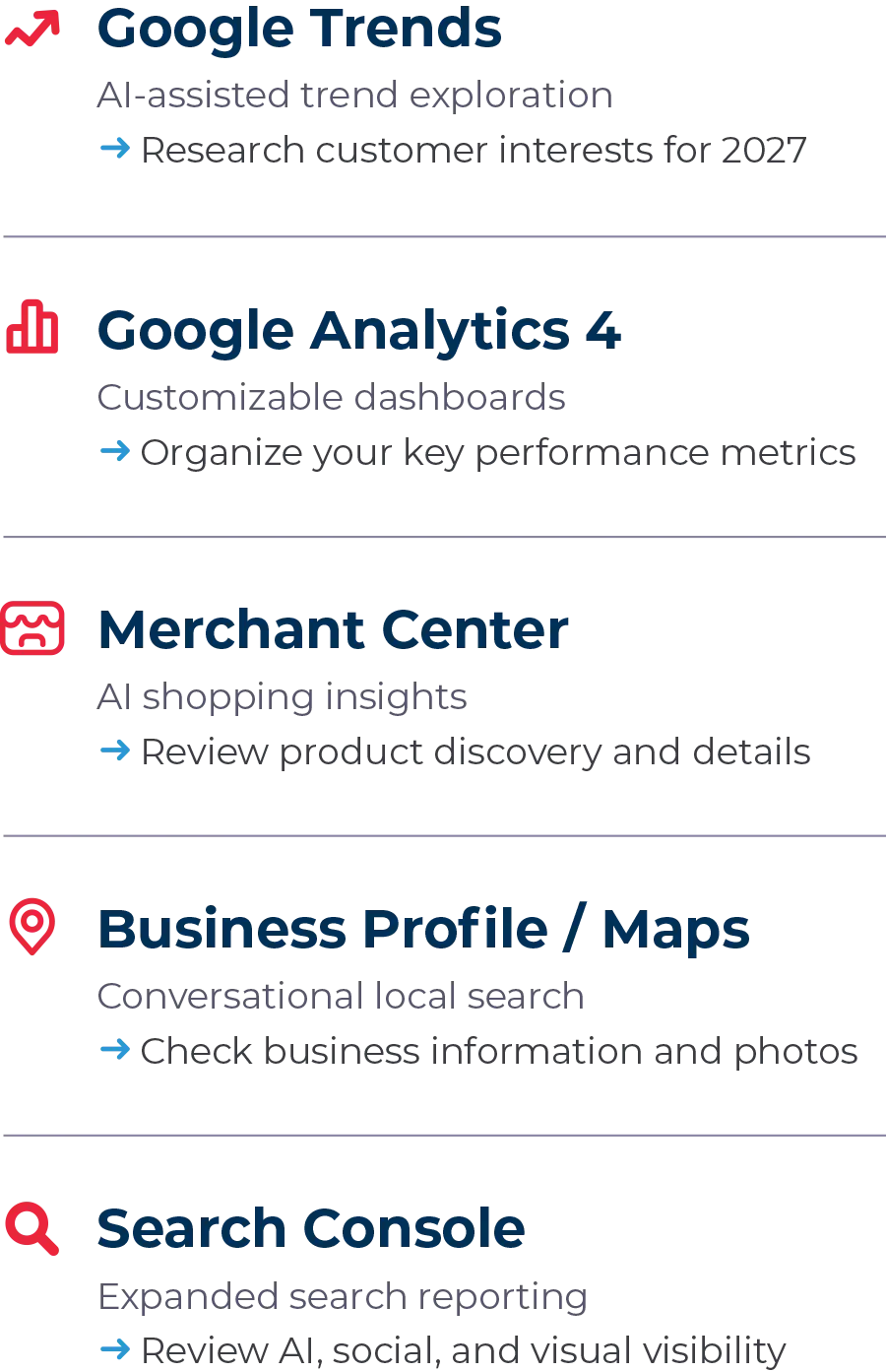
Google Trends: Discover What Customers Are Searching For
Google Trends helps businesses explore how interest in different search topics changes over time.
In January 2026, Google introduced a redesigned Trends Explore page with Gemini-powered features that automatically suggest and compare related search trends. Now, instead of researching each related topic individually, you can use these suggestions to explore a broader range of customer interests.
What This Looks Like in Practice
Imagine an independent home goods retailer researching seasonal decorating trends. Google Trends could help them compare interest in different decorating styles, discover related topics, and identify ideas for product spotlights or blog content. A service business, on the other hand, could use the same tool to investigate seasonal interest in relevant services or common customer concerns.
It’s worth noting that Google Trends reflects relative search interest, not exact search volume or guaranteed demand for your products.
Action Step: As you plan your 2027 content calendar, choose a product category or service your business offers and explore related search trends. Look for seasonal patterns or emerging interests that could inform upcoming campaigns.
Google Analytics: Organize Your Most Important Marketing Metrics
Google Analytics (GA4) helps you understand what visitors do on your website, where they come from, and which actions contribute to your business goals.
In September 2026, Google introduced customizable dashboards, allowing businesses to bring important performance metrics into a single report. With drag-and-drop functionality and customizable visualizations, you can organize the information that’s most relevant to your business without navigating multiple reports every time you check your performance.
What This Looks Like in Practice
An eCommerce retailer might create a dashboard showing website traffic, traffic sources, purchases, and revenue. Meanwhile, a local service business could focus on website visits, contact form submissions, and other actions that indicate potential customer interest. The key is choosing metrics that reflect what your business is trying to accomplish.
Action Step: Before the new year, identify three to five metrics you regularly review and build a dashboard around them. Make sure important actions, such as purchases or form submissions, are properly tracked before relying on the results.
A dashboard won’t make decisions for you. However, it can make it easier to recognize patterns and identify where further investigation may be worthwhile.
Google Merchant Center: Understand Product Discovery in AI Shopping
For businesses selling physical products, Google Merchant Center helps manage product information and make eligible merchandise discoverable across Google.
One of its most significant 2026 developments involves AI-powered shopping. In September, Google expanded access to AI performance insights, giving eligible merchants new information about how their brands and products appear in conversational shopping searches through Google AI Mode and AI Overviews. These reports provide insights into product-related search terms, attributes shoppers are interested in, and a brand’s share of visibility compared with other brands.
Per Google’s Merchant Center documentation, these insights currently cover eligible English-language queries in five countries, including the United States. They also focus on organic rather than paid AI shopping visibility.
What This Looks Like in Practice
Picture an online jewelry retailer discovers that shoppers are frequently researching specific necklace materials, lengths, or styles through conversational searches. Those insights could help the retailer identify missing product details or improve descriptions to answer questions customers are already asking.
Action Step: In Merchant Center, visit Analytics → Products → AI performance, if the report is available in your account. Review popular terms and product attributes, then check whether your product information accurately addresses them.
Google Business Profile: Prepare for More Conversational Local Search
For businesses with physical locations or those serving customers in a defined area, Google Business Profile remains an important free tool for managing how business information appears on Google Search and Maps.
In March 2026, Google introduced Ask Maps, an AI-powered experience that lets people ask more complex questions about places and receive conversational recommendations. For example, someone might search for a nearby business offering a particular service or a store suited to their specific shopping preferences.
In June 2026, Google also announced a Business Profile connection for Gemini, designed to help eligible businesses analyze profile information and manage certain tasks through AI, although access and subscription requirements may vary.
What This Looks Like in Practice
Accurate, detailed business information helps customers evaluate whether the store meets their needs. Consider a local boutique that offers personal styling appointments. A shopper researching nearby stores may want to know not just where the boutique is located, but what services it offers and what other customers say about their experiences.
These updates don’t guarantee greater local visibility for small businesses, but they reinforce the importance of maintaining an informative, accurate profile.
Action Step: Before the new year hits, carve out some time to review your Business Profile’s hours, categories, services, photos, and customer reviews. Address outdated or missing information, especially details customers frequently ask about.
Google Search Console: See How Customers Discover Your Content
Google Search Console also received several significant updates in 2026, expanding how businesses can monitor their visibility in Google Search.
New reporting capabilities provide insights into:
- Generative AI Search
Which website pages appear within supported AI-generated results. - Social and Video Search
How content from verified social accounts performs through Google. - Multimodal Search
How website content appears in image-initiated searches, including Google Lens.
These developments complement Search Console’s existing reports on impressions, clicks, and search performance. Impressions and clicks measure different interactions, so visibility shouldn’t automatically be interpreted as website traffic or conversions.
Action Step: When you’re reviewing 2026 marketing performance, explore which pages or social posts are attracting search interest. Consider whether those insights reveal opportunities to improve your content strategy for 2027.
“Choose the marketing tools that align with your goals, review what the data is telling you, and identify a few meaningful opportunities to pursue in 2027.“
– Technology Therapy®️ Group
Heading Into 2027 with Better Marketing Insights
Google introduced plenty of changes in 2026. But don’t feel like you have to master every new feature before the Christmas decorations come down and the New Year’s party hats come out.
Instead, consider which tools could help answer your most important marketing questions. Are you trying to understand what customers are searching for? Improve your website’s performance? Make your products easier to discover? Strengthen your local presence?
Start with the tools that align with your goals. Then review what the data is telling you and identify a few meaningful opportunities to pursue in 2027.
Kick Off 2027 with Greater Marketing Clarity
Say goodbye to blurry goals and confusing metrics. Meet Technology Therapy Group’s Clarity Program! It provides ongoing strategic guidance to help you interpret performance, identify meaningful opportunities, and plan your next steps with confidence.